Recruiters
Search candidates who chose to be found, and submit them in your logo
Ask for an introduction and each candidate decides. A submission packet in your firm’s logo is built from the candidate’s Dossier, with the references already on file.
Search firms, agencies and in-house recruiters. The workspace is free for now.
What a recruiter sees
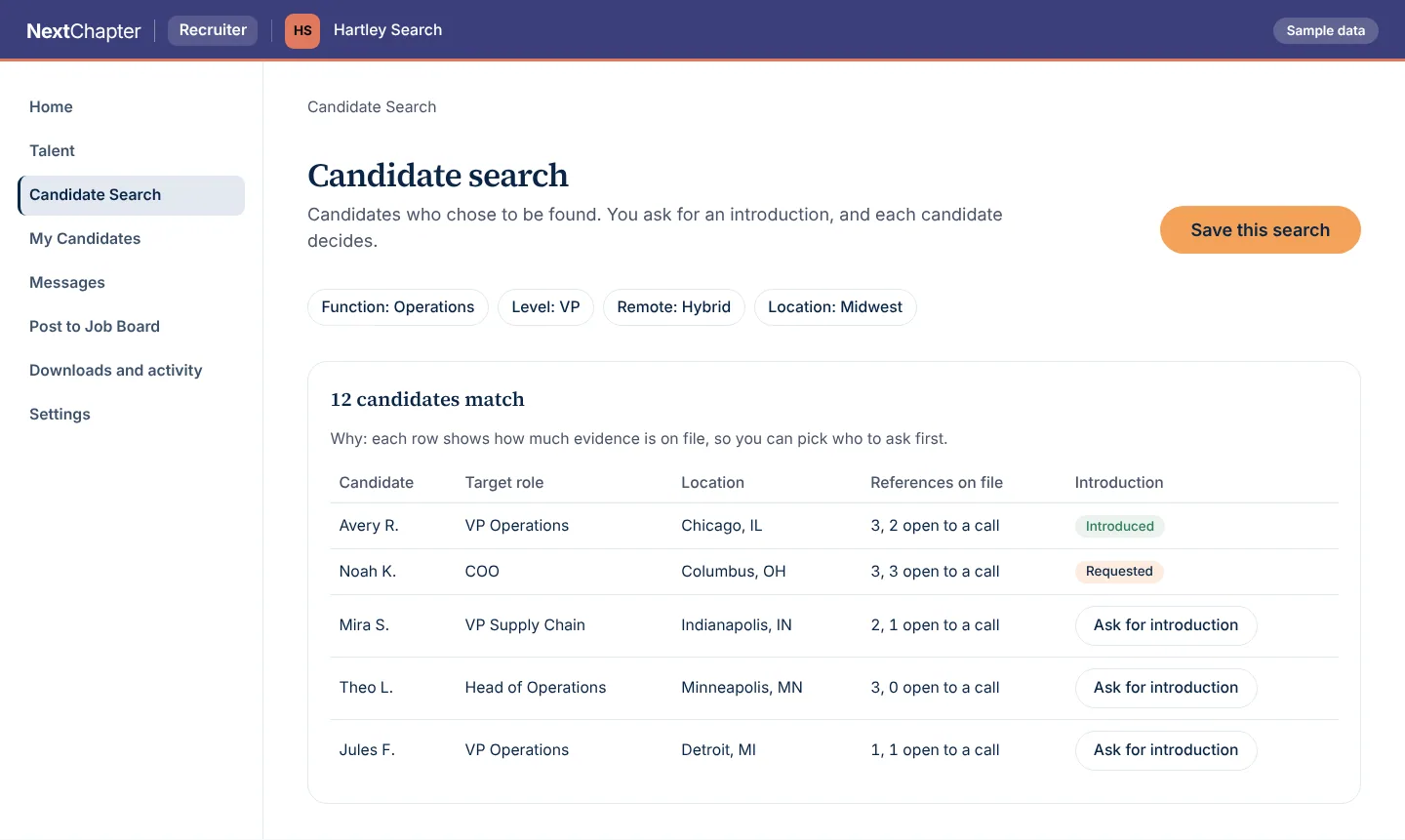
This is candidate search as a recruiter opens it. Hartley Search and the candidates are invented.
Candidate search Sample data
Each row shows how much evidence is on file, so you can pick who to ask for an introduction, and each candidate decides. The people and numbers are invented.
More of the workspace
Submission packet and export Sample data
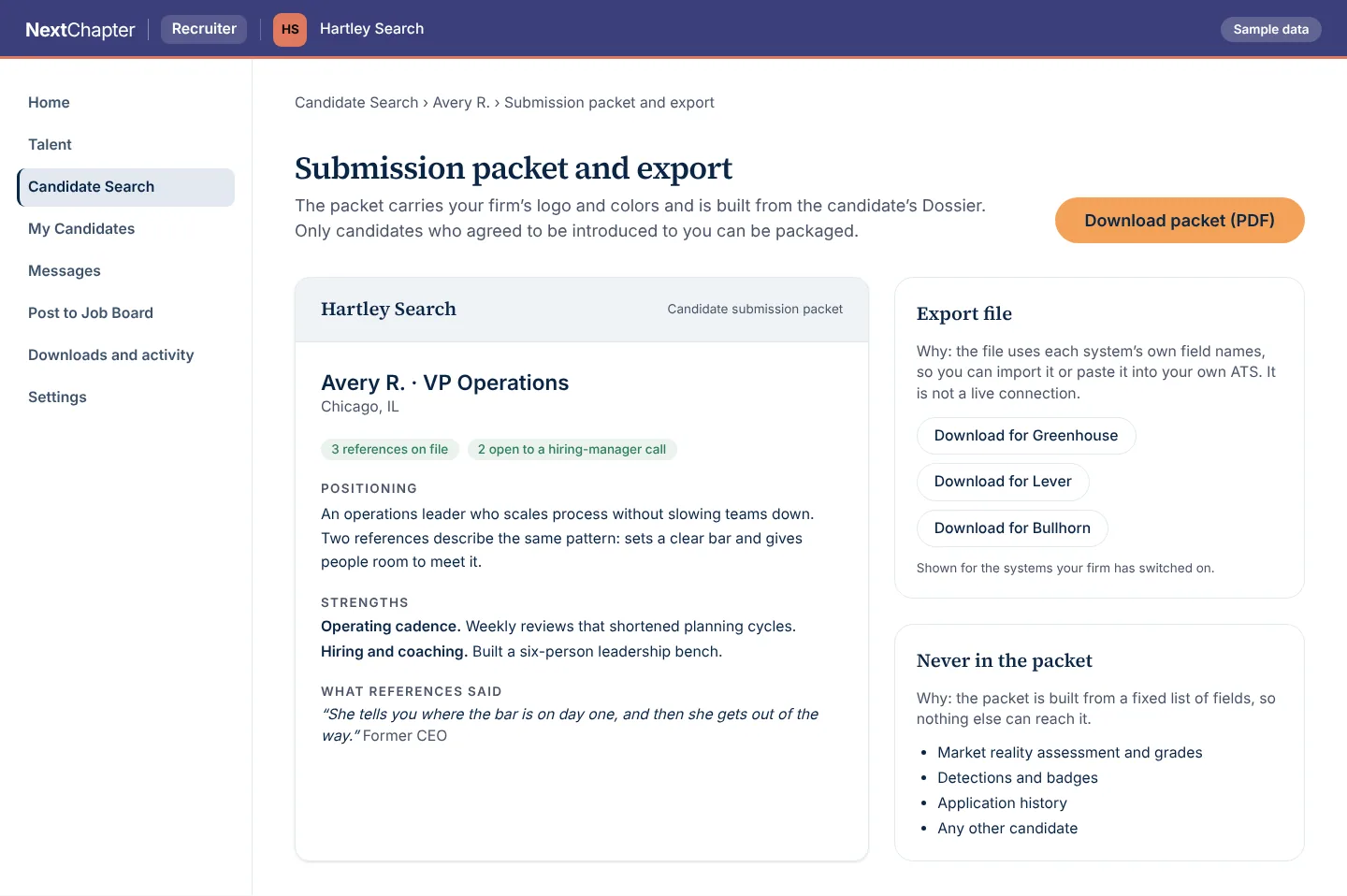
The packet is built from a fixed list of fields taken from the candidate’s Dossier, so nothing else can reach it, and the export file uses each system’s own field names. The people and numbers are invented.
Feedback and placement Sample data
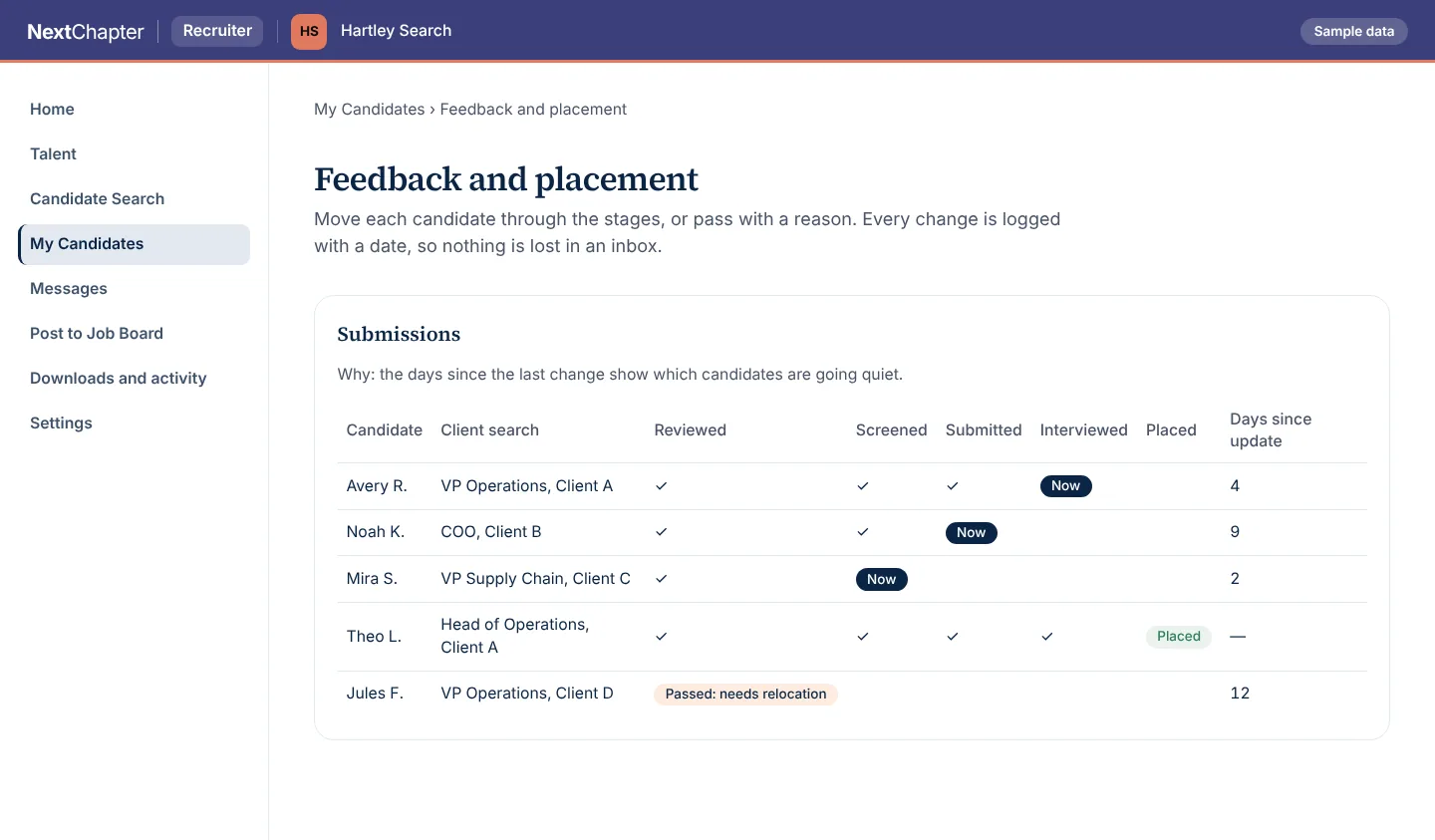
Every change is logged with a date, and the days since the last change show which candidates are going quiet. The people and numbers are invented.
How it works
Get access
Create your recruiter account and add your firm’s logo and colors, which go on the packets and on your résumé intake page.
Search and ask for an introduction
Filter by function, level, remote preference and location. You see candidates who chose to be found, and each candidate decides on your request.
Submit and track
Download the packet as a PDF in your logo, or an export file for your own ATS. Move each candidate through the stages or pass with a reason.
Plans
The recruiter workspace is free for now.
Recruiter workspace
FreeRecruiters, search firms and in-house recruiters
- Search candidates who opted in to be found
- A submission packet in your firm’s logo, built from the candidate’s Dossier
- A résumé intake page in your firm’s logo
- Submission stages from reviewed to placed
Every plan for every portal is on the plans page.
Questions
Which candidates can I see?
Candidates who chose to be found. You ask for an introduction and each candidate decides. A packet is built for a candidate who agreed to be introduced to you.
What is in a submission packet?
Positioning, strengths, what references said, and how many references are on file and open to a hiring-manager call, built from the candidate’s Dossier in your firm’s logo. It is built from a fixed list of fields, and it never includes the Market Reality Assessment or grades, detections or badges, application history, or any other candidate.
How do references show in search?
Each row shows how many references are on file and how many of them are open to a hiring-manager call.
Does it connect to our ATS?
Not as a live connection. For Greenhouse, Lever and Bullhorn you download an export file that uses each system’s own field names, then import it or paste it into your own ATS. Which of the three appear is set for each firm.
What is the résumé intake page?
A “Submit your resume” page in your firm’s logo, colors and font that you link from your own website. You set focus areas for the firm and for each recruiter so new résumés go to the right person, and signed webhooks can send each new résumé to your ATS, CRM or Zapier.
What stages can I track?
Reviewed, screened, submitted, interviewed and placed, or passed with a reason. Every change is logged with a date.
Get access to the recruiter workspace
Create an account and start a search. Questions before you start: send us a message.