Higher education
Support every alum and student in their next career move
Claim your institution’s page with a work email at your domain, and a free workspace is created for you: your own page, your services, up to 50 active members and basic counts.
Career services, alumni relations, development, executive education and administration.
What your administrator sees
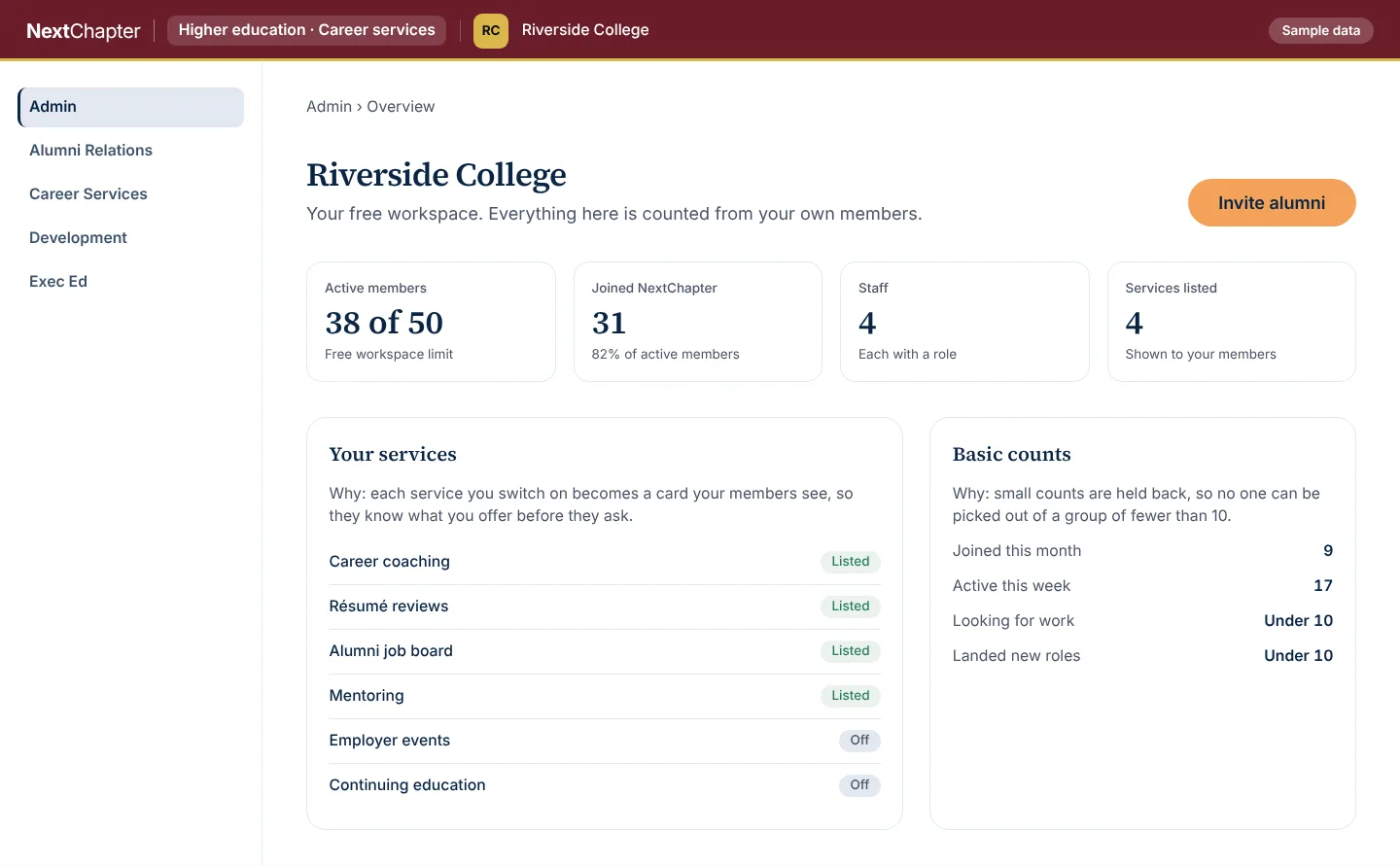
This is the free workspace as an administrator opens it. Riverside College is invented.
Admin overview Sample data
It shows the limit, the staff and the services you list, so an administrator sees what the workspace holds before anything else. Small groups are held back so no one can be picked out. The people and numbers are invented.
More of the workspace
Alumni relations Sample data
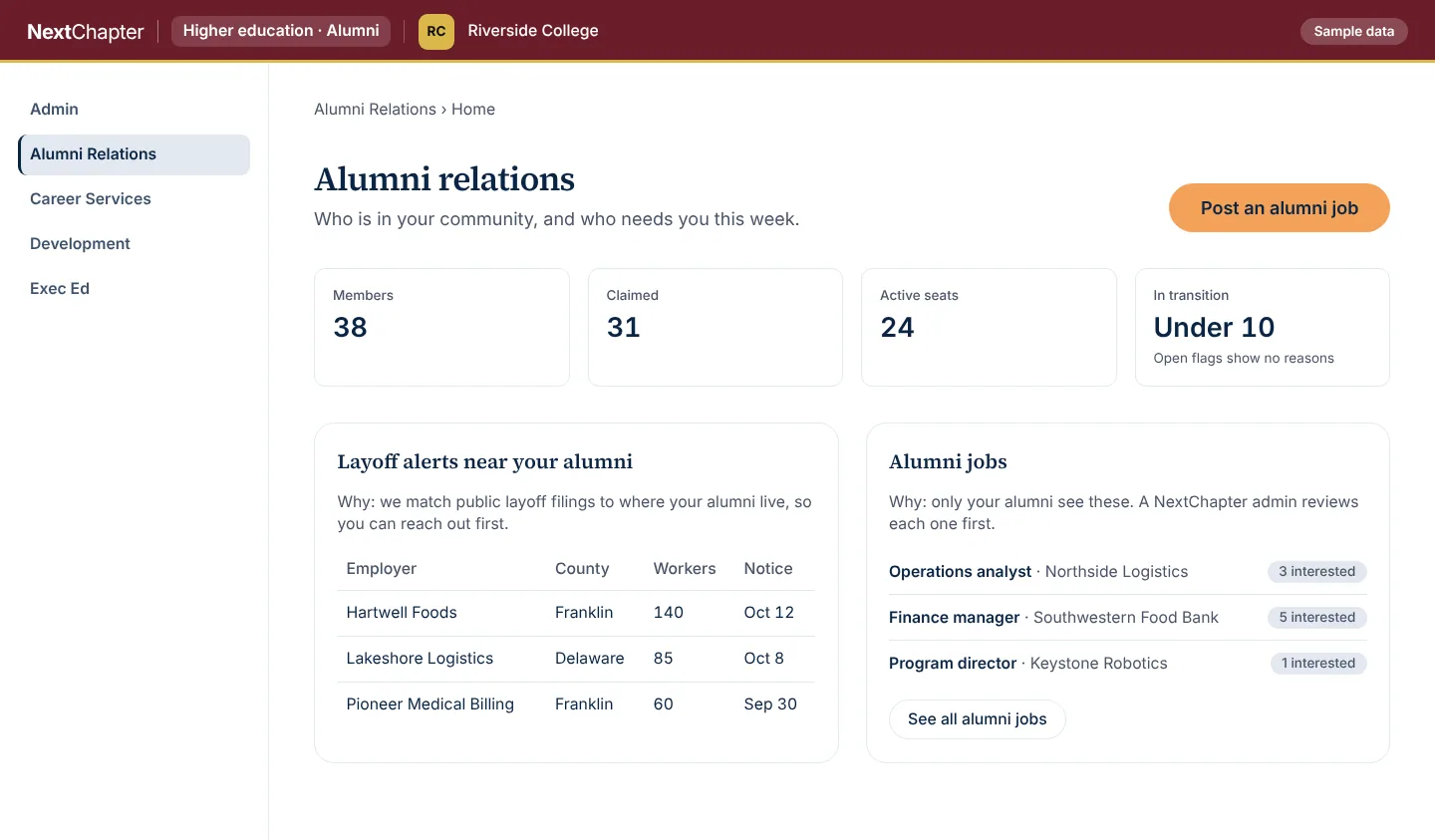
Layoff alerts are matched to where your alumni live, so you can reach out early, and alumni jobs are shown to your alumni. The people and numbers are invented.
Career services caseload Sample data
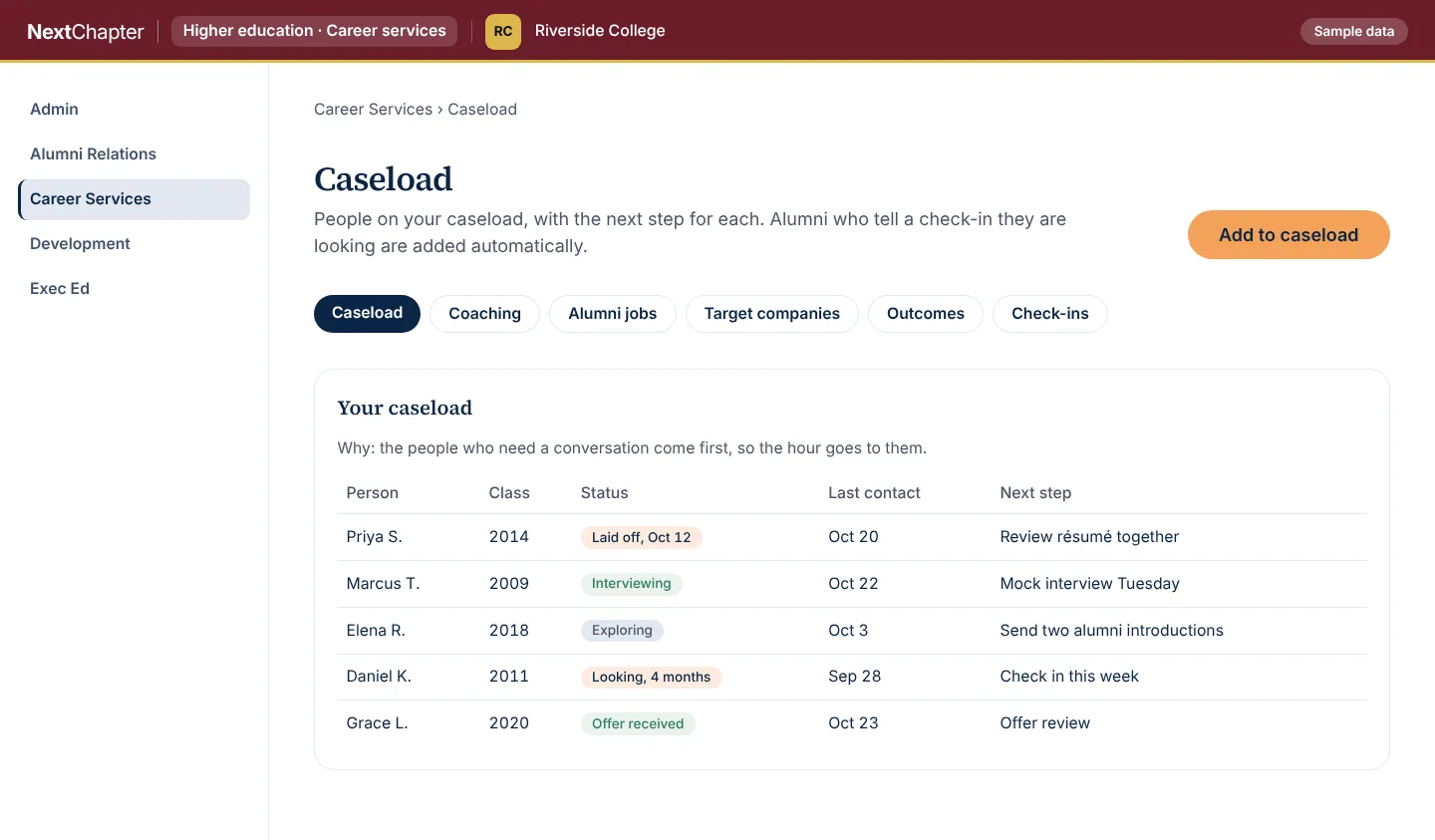
People who need a conversation are listed at the top, with the next step beside each name, so the hour goes to them. The people and numbers are invented.
How it works
Claim your page
A staff member opens the institution’s page, enters a work email at the institution’s domain and confirms the one-time link we send.
Set up the workspace
When the email matches your domain, the workspace is created with the person who claimed it as administrator. List the services you offer so members see them.
Invite your members
Invite alumni and students, up to 50 active members on the free workspace. Counts show who joined and how active they are, with small groups held back.
How to claim your page
Your institution’s page is at https://launchyournextchapter.com/prepared/ followed by its name in lowercase with hyphens between the words, for example https://launchyournextchapter.com/prepared/riverside-college. Open it and fill in your name, title and work email.
Use a work email at your institution’s domain. Personal email addresses are not accepted. When we do not yet know your institution’s domain, our team follows up on the claim.
If the address does not open, or your institution’s name has punctuation in it, use the form at the bottom of this page and we will follow up.
Plans
The free workspace is listed at the top. The Institution plan adds what an administrator needs at scale. Talk to us about it.
Free workspace
FreeColleges and universities, after a verified claim
- Created when someone at your institution claims your page with a work email at your email domain
- Up to 50 active members
- Your own page on NextChapter
- Your own services listed for your members
- Basic counts of members and activity
Institution plan
Colleges and universities that need reporting at scale
- Everything in the free workspace
- Reporting and exports
- Exchange of records with your CRM
- More active members
- Staff roles
- An audit log of staff activity
- NextChapter coaching and courses offered to your members
Add-ons: AI training for career services.
Every plan for every portal is on the plans page.
Questions
Who can claim our institution’s page?
A staff member with a work email at your institution’s domain. We send a one-time link to that address to confirm it. If we do not know your domain yet, our team follows up on the claim.
What does the free workspace include?
Your own page on NextChapter, up to 50 active members, your own services listed for your members, and basic counts of members and activity.
What does the Institution plan add?
Reporting and exports, exchange of records with your CRM, more active members, staff roles, an audit log of staff activity, and NextChapter coaching and courses offered to your members. Talk to us to set it up.
Do alumni and students pay?
Members use the core job search tools without paying. Membership and coaching are optional for them.
What do we see about individual members?
Reporting is in counts, and small groups are held back so no one can be picked out of a group.
Claim your page, or tell us what you need
Claim your page at the address above. For the Institution plan, or if your page does not open, send us a message.