Non-profits and community organizations
Serve the job seekers in your community from a workspace of your own
Claim your organization’s page with a work email at your domain, and a free workspace is created for you: your own page, your services, up to 50 active members and basic counts.
Non-profits and community organizations. Research partners can start a conversation at the bottom of the page.
What your administrator sees
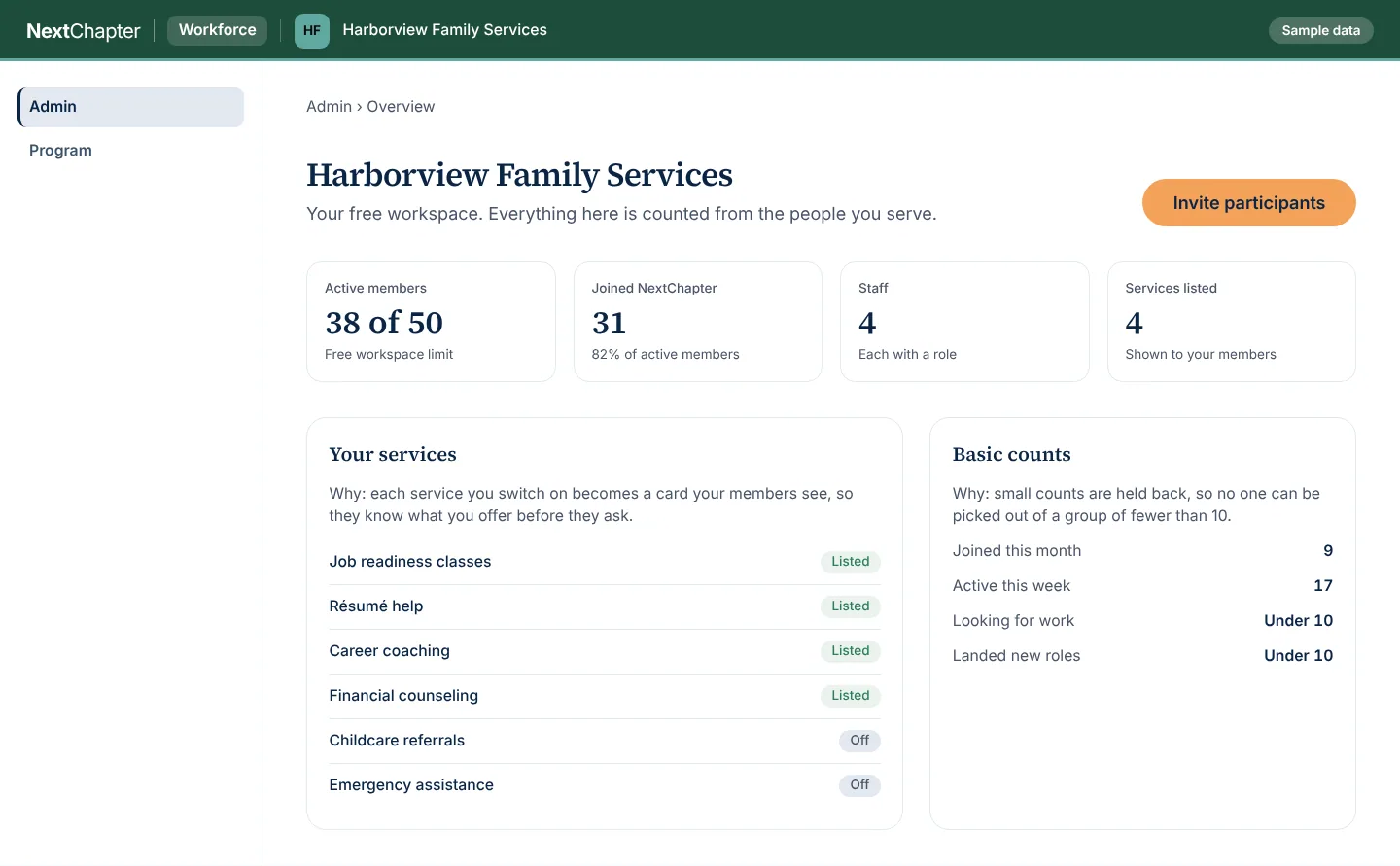
This is the free workspace as an administrator opens it. The sample shows a family services non-profit, and Harborview Family Services is invented.
Admin overview Sample data
It shows the member limit, the staff and the services you list, so an administrator sees what the workspace holds before anything else. The people and numbers are invented.
More of the workspace
Program dashboard Sample data
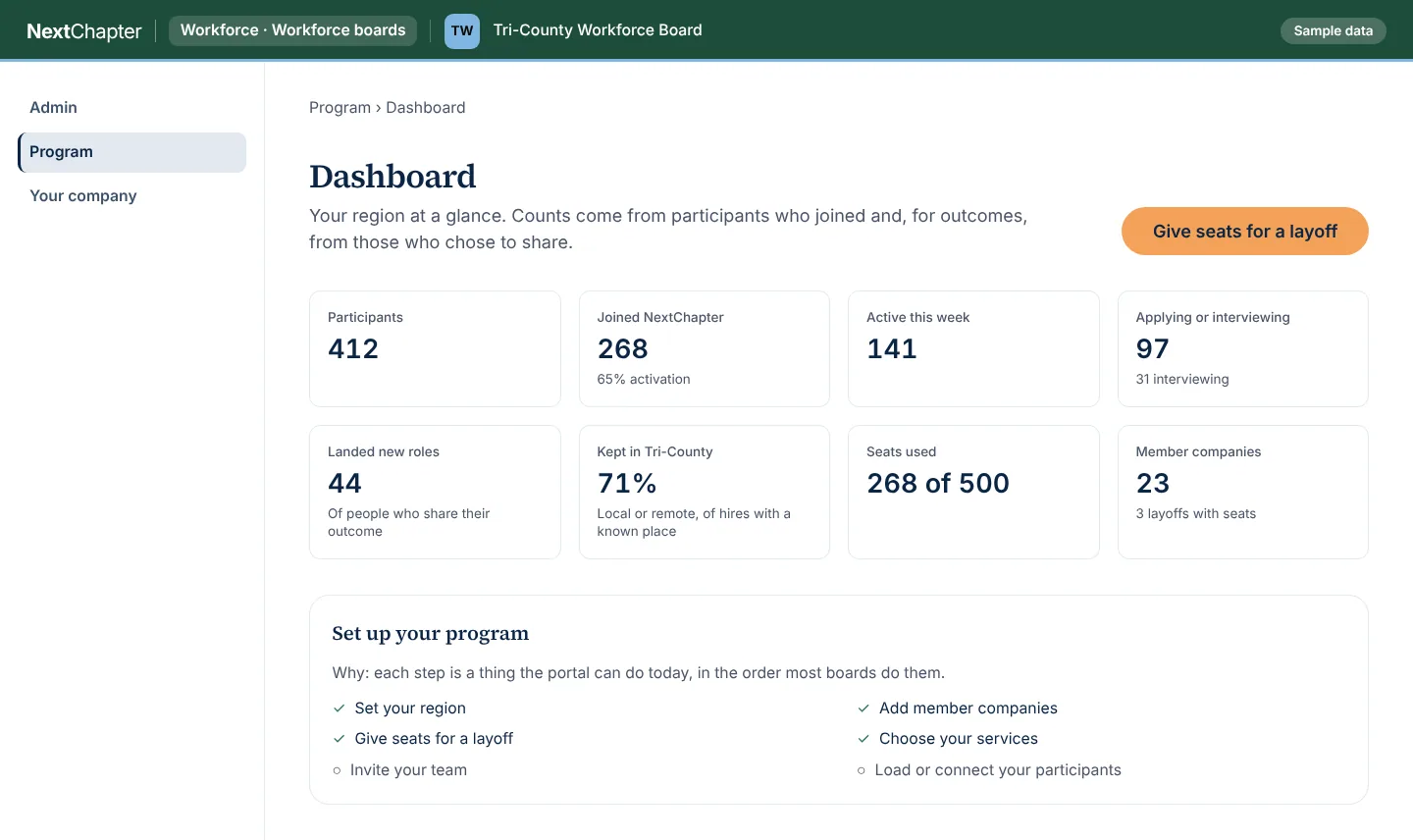
Each count says who it covers: participants who joined and, for outcomes, those who chose to share. The people and numbers are invented.
Layoffs with seats Sample data
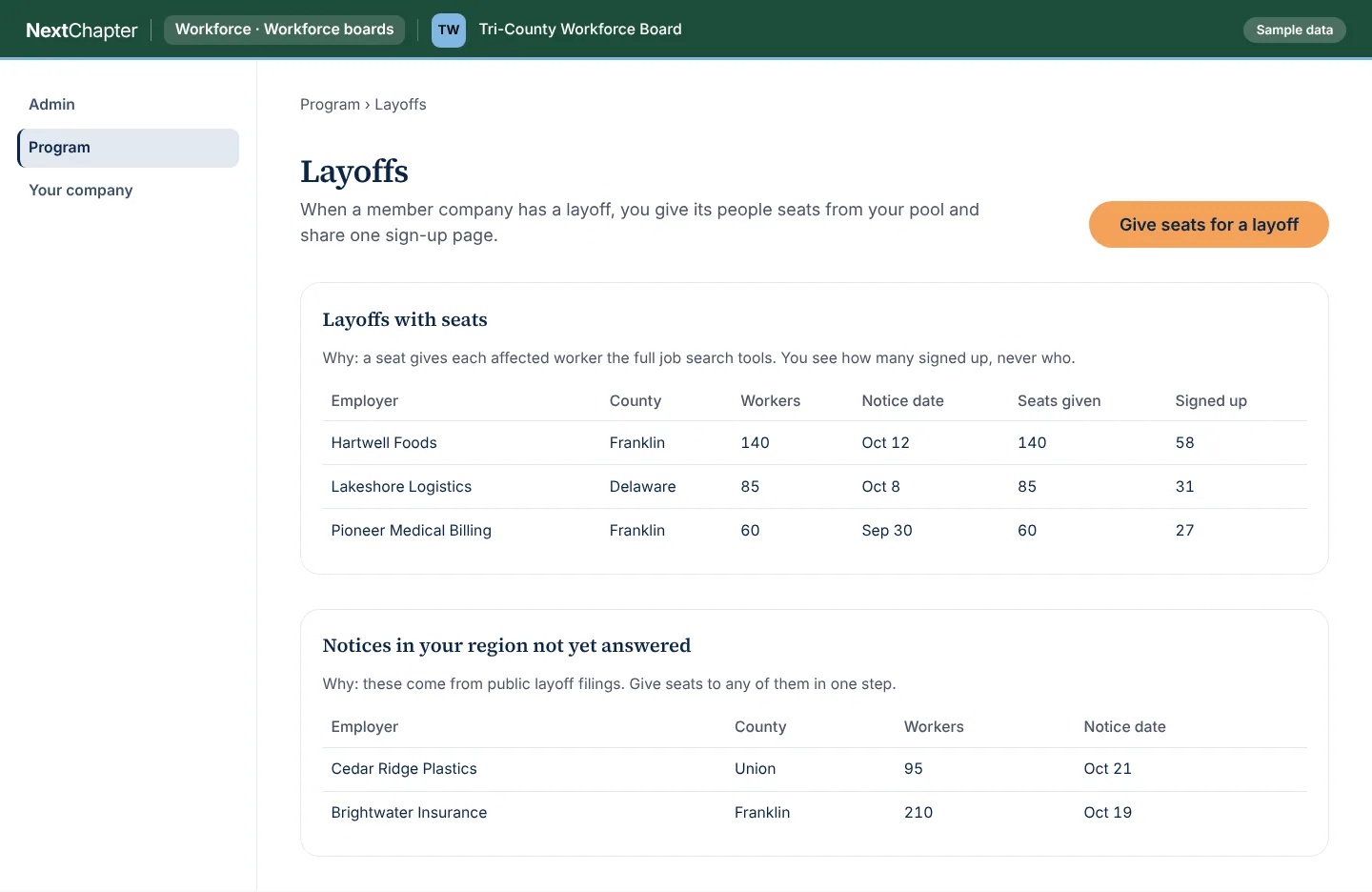
A seat gives each affected worker the full job search tools, and you see how many signed up, never who. The people and numbers are invented.
How it works
Claim your page
A staff member opens the organization’s page, enters a work email at the organization’s domain and confirms the one-time link we send.
Set up the workspace
When the email matches your domain, the workspace is created with the person who claimed it as administrator. List the services you offer so the people you serve see them.
Invite the people you serve
Invite participants, up to 50 active members on the free workspace. Counts show who joined and how active they are, with small groups held back.
How to claim your page
Your organization’s page is at https://launchyournextchapter.com/prepared/ followed by its name in lowercase with hyphens between the words, for example https://launchyournextchapter.com/prepared/harborview-family-services. Open it and fill in your name, title and work email.
Use a work email at your organization’s domain. Personal email addresses are not accepted. When we do not yet know your organization’s domain, our team follows up on the claim.
If the address does not open, or your organization’s name has punctuation in it, use the form at the bottom of this page and we will follow up.
Plans
The free workspace is listed at the top. The Program plan adds what a program needs at scale. Talk to us about it.
Free workspace
FreeWorkforce boards, economic development organizations, chambers and community organizations, after a verified claim
- Created when someone at your organization claims your page with a work email at your email domain
- Up to 50 active members
- Your own page on NextChapter
- Your own services listed for the people you serve
- Basic counts of participants and activity
Program plan
Workforce organizations that need reporting at scale
- Everything in the free workspace
- Reporting and exports
- Exchange of records with your CRM
- More active members
- Staff roles
- An audit log of staff activity
- NextChapter coaching and courses offered to the people you serve
- Program reporting, scoped with you
Add-ons: AI training for career services.
Every plan for every portal is on the plans page.
Questions
Who can claim a page?
A staff member of a non-profit or community organization with a work email at the organization’s domain. We send a one-time link to that address to confirm it. If we do not know your domain yet, our team follows up on the claim.
What does the free workspace include?
Your own page on NextChapter, up to 50 active members, your own services listed for the people you serve, and basic counts of participants and activity.
What does the Program plan add?
Reporting and exports, exchange of records with your CRM, more active members, staff roles, an audit log of staff activity, NextChapter coaching and courses offered to the people you serve, and program reporting scoped with you.
Do you offer AI training for our staff?
Yes, as an add-on to the Program plan: AI training for career services. Read more on https://launchyournextchapter.com/ai-training.
We are a researcher or a funder. How do we start?
Use the form at the bottom of this page and tell us what you want to study or support. Research and funding partnerships are set up one at a time.
What do the people we serve pay?
Job seekers use the core job search tools without paying. The Alumni plan and coaching are optional for them.
Claim your page, or start a conversation
Claim your page at the address above. Researchers, funders and organizations whose page does not open: send us a message.