Employers
Hiring, keeping people or planning a reduction? Start with the one on your desk.
Post a role free today. If a reduction is coming, we set up a pilot of up to 10 outplacement seats at no charge: everyone leaving gets a place to land, and legal gets a compliance record for each seat.
Posting a role is free. The outplacement pilot is up to 10 seats at no charge. Employees is set up with our team.
Three stages, one for each situation
Hiring is for the people you want to bring in, Employees for the people you have, and Outplacement for the people who are leaving. Take one, or all three together. Different people on your team can run different sections.
Future employees
Hiring
Post roles, review candidates and see how your hiring is going.
- Roles: Open roles and who matches each one.
- Candidate inbox: Candidates who replied, messages and saved people in one place.
- Scorecards: Rate every candidate against the same criteria.
- Analytics: How long hiring takes and where candidates drop out.
Current employees
Employees
Help the people you have grow, stay and move into new work.
- Learning and development: Your own courses and a view of the skills gap.
- Retention: Promotion and raise preparation, internal roles and team reporting.
- Job retraining: New skills for people whose jobs are changing. Not available yet.
Departing employees
Outplacement
Support for people leaving your company, with reporting for HR and legal.
- Seats: Enroll the people leaving and manage who has a seat.
- Roster: Everyone enrolled and where they are.
- Scorecard: Outcomes for your people, reported without names.
- Compliance: The compliance pack for your legal team.
Free to start
Outplacement RFP template and vendor scorecard
The eight questions to put to every outplacement vendor, and a scoring sheet to compare the answers side by side. Use it for any provider, ours included.
Inside the workspace
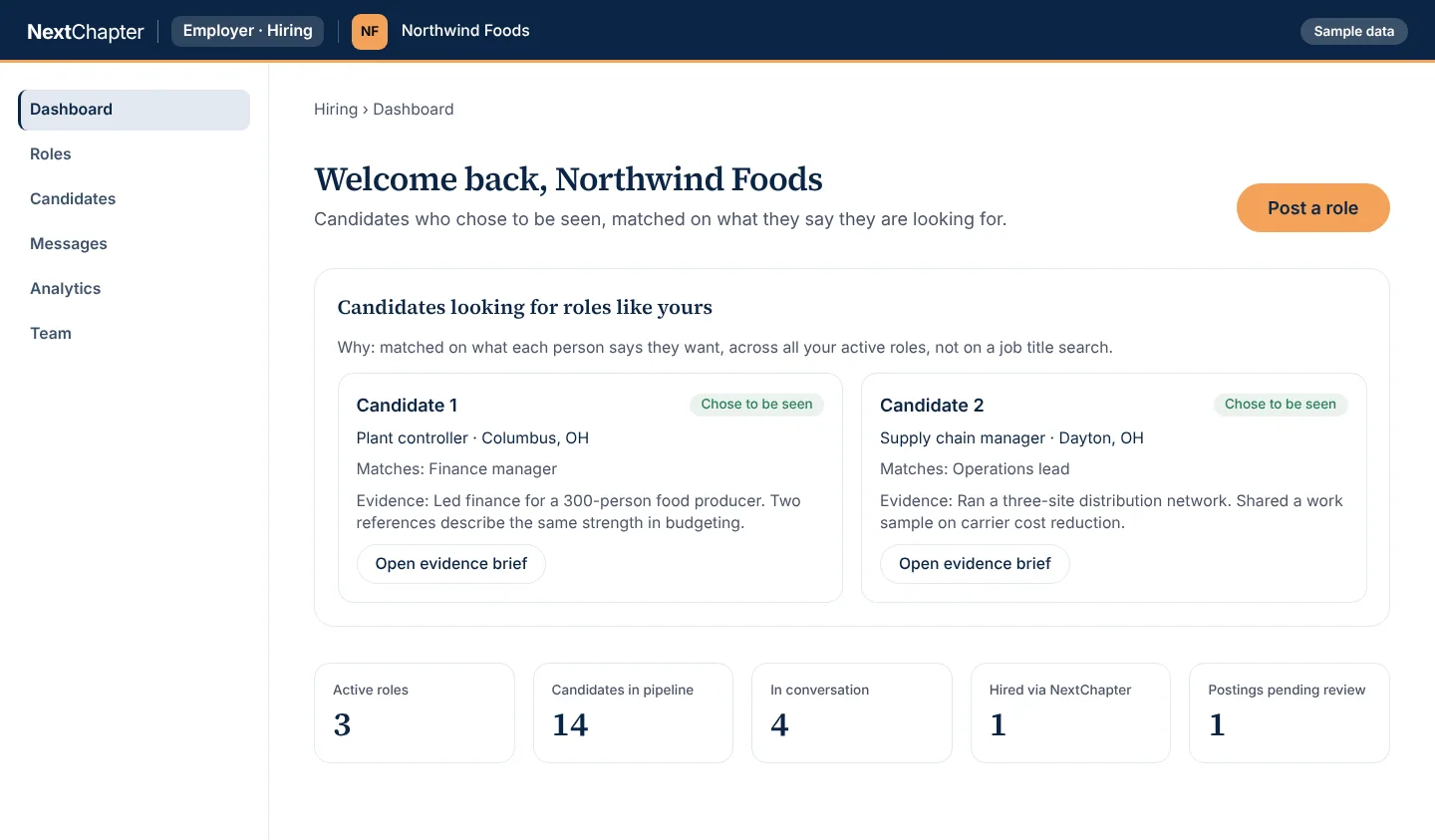
Hiring Sample data
Hiring is for future employees: candidates are matched on what each person says they want, and name and contact stay private until the candidate agrees. The people and numbers are invented.
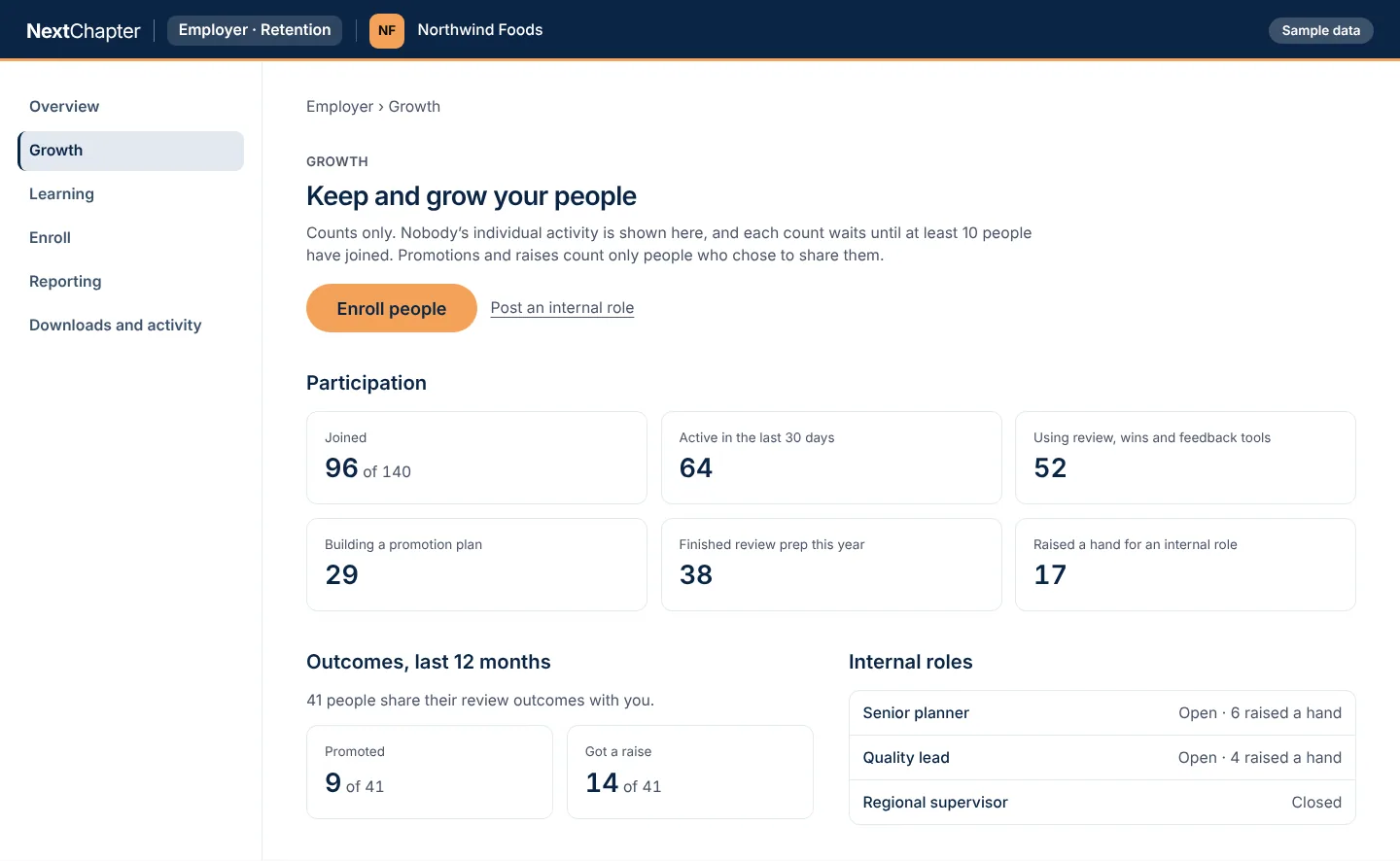
Employees Sample data
Employees is for current employees: you see counts by team, never by person. The people and numbers are invented.
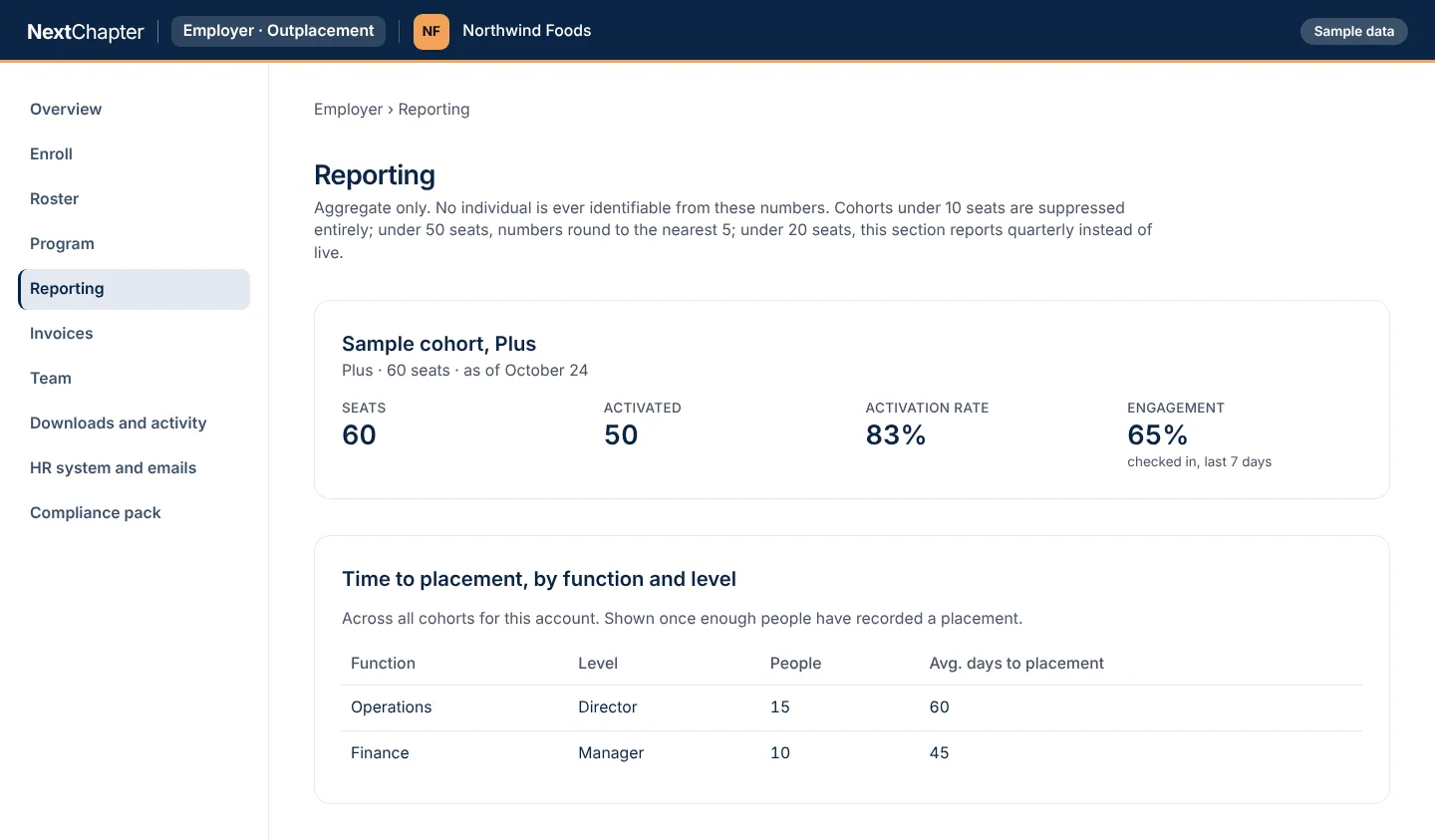
Outplacement Sample data
Outplacement is for departing employees: HR sees aggregate reporting and never anyone’s activity, grade or progress. The people and numbers are invented.
How it works
Pick what is on your desk
Hiring a role, keeping the people you have, or planning a reduction. Each has its own page, and each can be taken on its own.
Start free
Hiring starts when you post a role. Outplacement starts with a pilot of up to 10 seats at no charge. Employees is set up with our team.
Add sections when you need them
Add another section later, or take all three together under one contract.
Plans
Each section has its own plans. Posting a role is free. Talk to us about the rest.
Hiring
Post a role
FreeEmployers hiring
- Post a role free
- Candidates matched on what they say they are looking for
- An evidence brief for each candidate who chose to be seen
Hiring team
Employers with a hiring team
- Everything in Post a role
- Seats for your hiring team
- Hiring analytics
- Candidate export
Employees
Employees
Employers developing and keeping current employees
- Retention: promotion and raise preparation, internal roles and paths into new functions
- Learning and development: a skills plan for each person, starting with the courses you cover
- Job retraining for people whose jobs are changing: not available yet
- Counts by team, never by person
Add-ons: NextChapter courses and AI skills training for your people.
Outplacement
Outplacement Core
Employers with departing employees
- 6-month term
- Resume Studio and ATS matrix
- Full Executive Dossier
- Standard recruiter introductions
- Basic Market Intelligence
- Interim and fractional boards and playbook
Outplacement Plus
Employers with departing employees
- 6-month term
- Six coaching sessions
- One human resume review
- Full Executive Dossier
- Standard recruiter introductions
- Standard Market Intelligence
- Curated interim and fractional openings
Outplacement Premium
Employers with departing employees
- 12-month term
- Twelve coaching sessions with a named coach and 48-hour response
- Unlimited resume reviews and versions
- Full Executive Dossier
- Dedicated recruiter relationship
- Full Market Intelligence
- Private cohort space and coworking stipend
- Board search, fractional CRO/CFO track and advisory placement
All sections together
Enterprise bundle
Employers who want Hiring, Employees and Outplacement together
- All three sections under one contract
Every plan for every portal is on the plans page.
Questions
What are the three sections?
Hiring is for future employees: post roles and review candidates. Employees is for current employees: retention, and learning and development. Outplacement is for departing employees: a seat for each person leaving, with reporting for HR and a compliance record for legal.
Do we need all three?
No. Each section can be taken on its own, or all three together under one contract with the enterprise bundle.
Where do we log in?
Hiring has its own log in at https://launchyournextchapter.com/talent/login. Employees and Outplacement use the employer log in at https://launchyournextchapter.com/employer/login.
What do we see about individual people?
In Hiring, candidates decide who sees what. In Employees you see counts by team, never by person. In Outplacement you never see anyone’s activity, grade or progress.
How do we get started?
Post a role to start Hiring. For Employees and Outplacement, use the form at the bottom of this page and we will set it up with you.
Tell us what you are working on
Tell us which stage you want help with, or post a role now.