Hiring
Hire people who show you the evidence
Post a role and see candidates who chose to be seen, matched on what they say they are looking for, with an evidence brief for each. Posting is free.
Hiring is for future employees. Employees and Outplacement cover current and departing ones.
What your hiring team sees
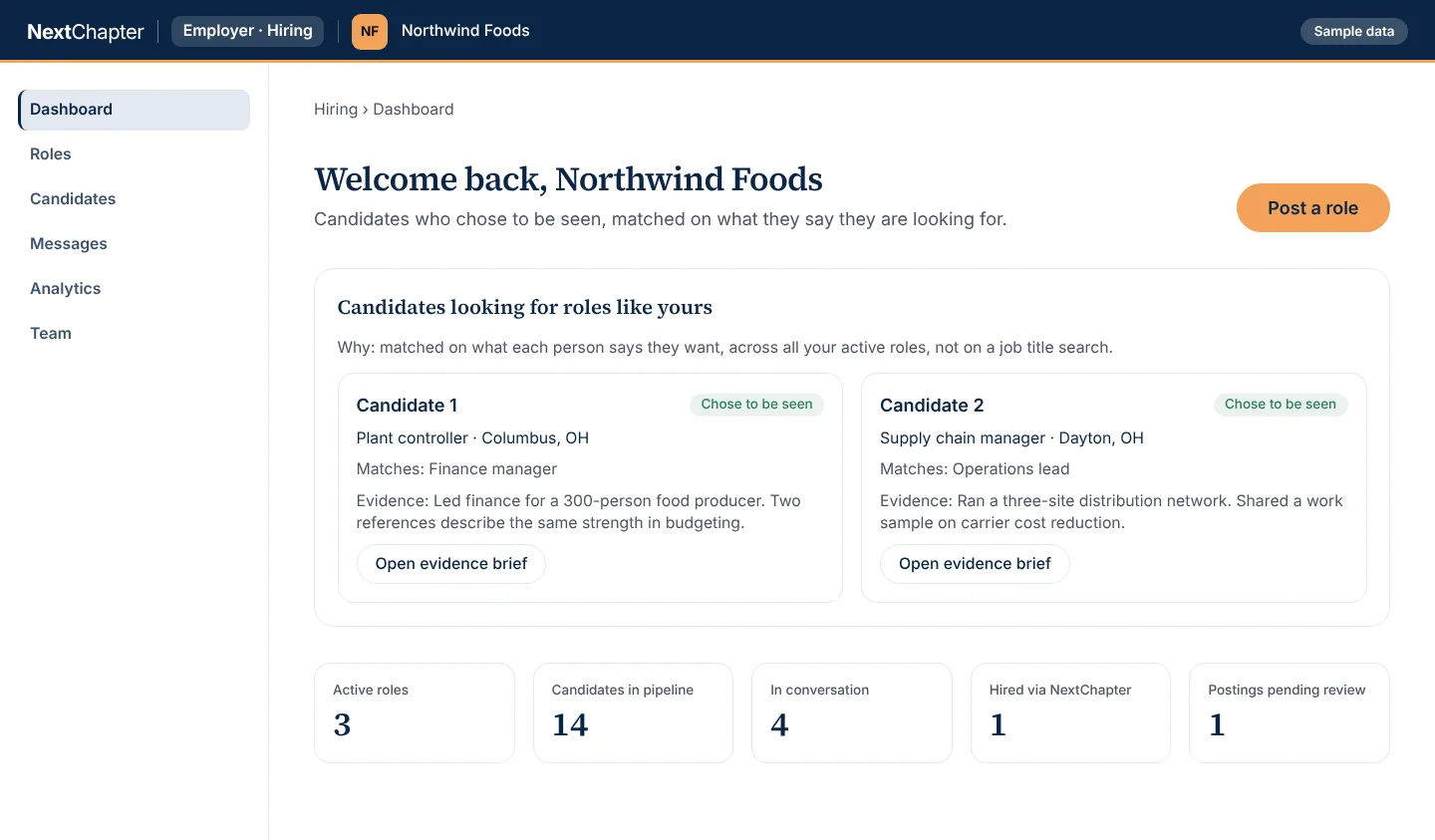
This is the dashboard as a hiring team opens it. Northwind Foods and the candidates are invented.
Hiring dashboard Sample data
Candidates are matched on what each person says they want, across all your active roles, not on a job title search. The people and numbers are invented.
Free to start
Outplacement RFP template and vendor scorecard
The eight questions to put to every outplacement vendor, and a scoring sheet to compare the answers side by side. Use it for any provider, ours included.
More of the workspace
Evidence brief Sample data
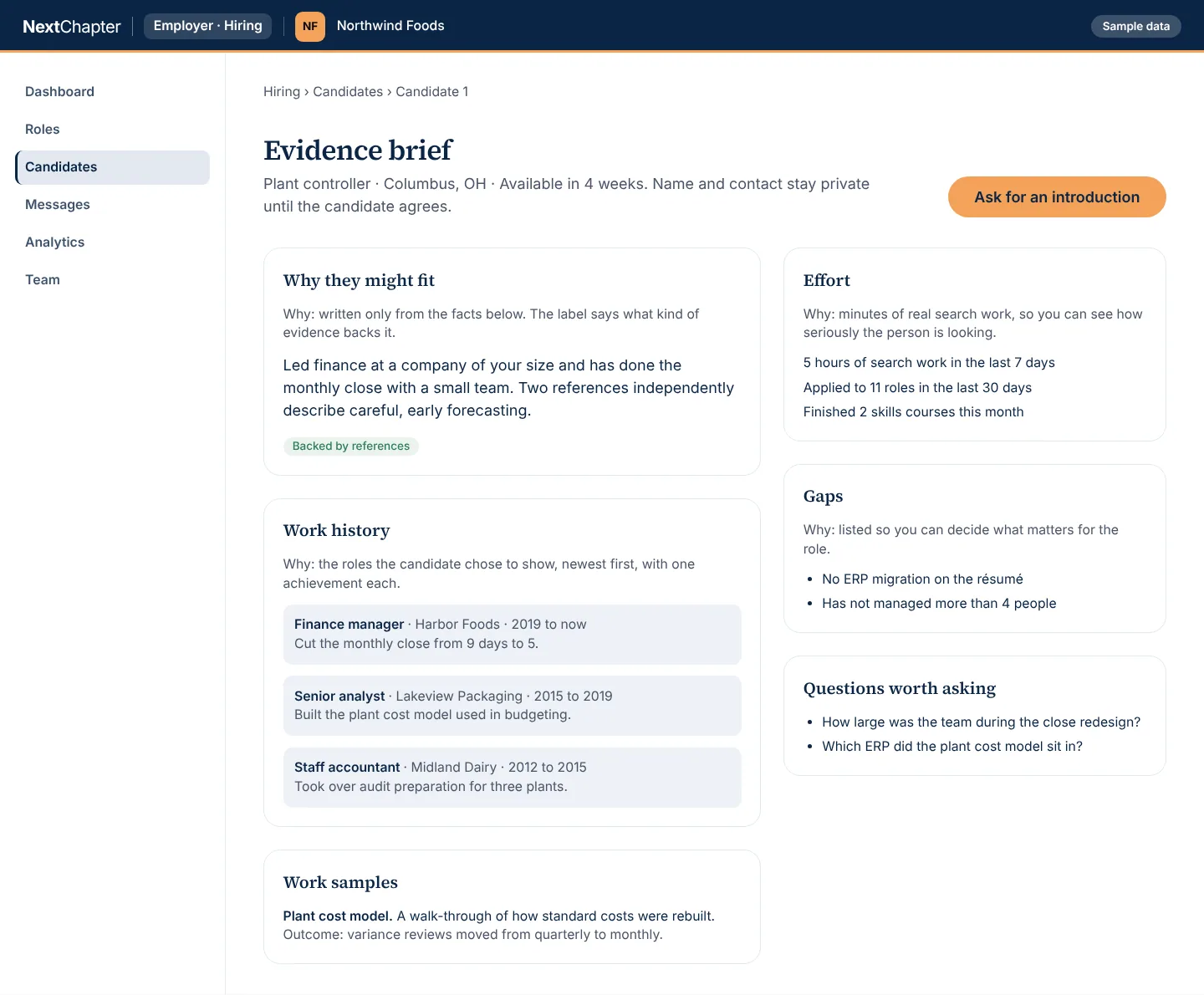
Every statement is written from the facts beside it and labeled by the kind of evidence behind it, and gaps are listed so you decide what matters for the role. The people and numbers are invented.
Roles and hiring team Sample data
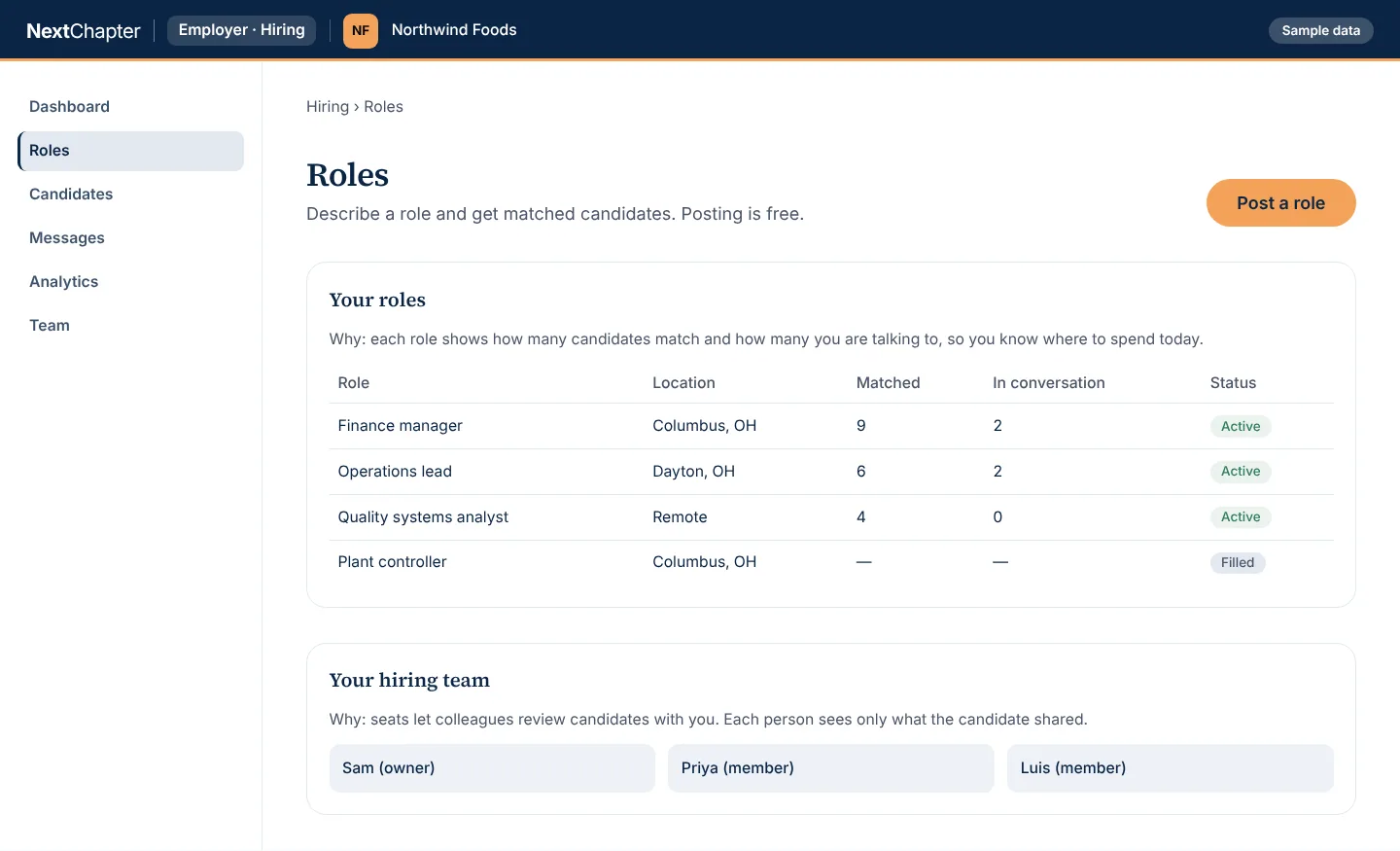
Each role shows how many candidates match and how many you are talking to, so you know where to spend the day. The people and numbers are invented.
How it works
Post a role
Describe the role and where it is. Candidates who chose to be seen are matched to it on what they say they want.
Read the evidence brief
Each brief shows the facts behind the match: work history the candidate chose to show, effort, work samples, references and the gaps.
Ask for an introduction
The candidate decides who sees what. Name and contact stay private until the candidate agrees to the introduction.
Plans
Posting a role is free. The Hiring team plan adds seats for colleagues, analytics and export. Talk to us about it.
Post a role
FreeEmployers hiring
- Post a role free
- Candidates matched on what they say they are looking for
- An evidence brief for each candidate who chose to be seen
Hiring team
Employers with a hiring team
- Everything in Post a role
- Seats for your hiring team
- Hiring analytics
- Candidate export
Every plan for every portal is on the plans page.
Questions
Is it free to post a role?
Yes. Posting a role is free, and so is seeing the candidates matched to it.
Which candidates do I see?
Candidates who chose to be seen. They are matched on what each person says they are looking for, across all your active roles, not on a job title search.
What is in an evidence brief?
Why the person might fit, written from the facts in the brief and labeled by the kind of evidence behind it. It also shows effort, the work history the candidate chose to show, work samples, gaps and questions worth asking.
When do I see a candidate’s name and contact details?
After the candidate agrees to an introduction. Until then they stay private.
Can my colleagues review candidates with me?
Yes, with seats on the Hiring team plan. Each person sees what the candidate chose to share. Talk to us to set it up.
Post a role
Create an account and describe a role. Questions about the Hiring team plan: send us a message.